
Keyword cannibalization happens when two or more pages on your own site compete for the same search query and the same intent. Google then has to pick one of them, and it may pick the page you care about least.
Once you know which pages are involved, the fix is usually quick.
Below, you'll learn how to tell keyword cannibalization from harmless overlap, how to find it with free tools, which fix fits each case, and how to stop it from coming back.
What Is Keyword Cannibalization?
Keyword cannibalization is when several URLs on one site target a query that needs only one answer.
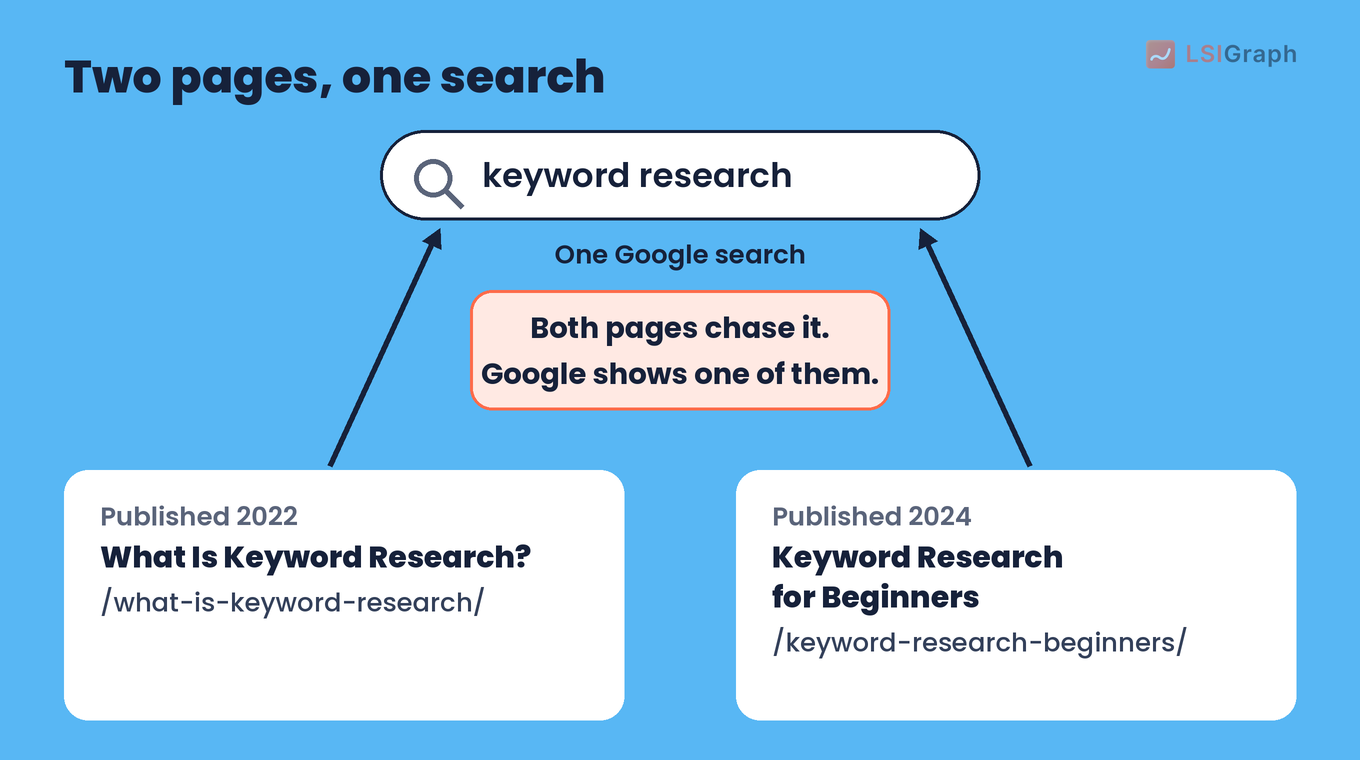
Say you wrote "What Is Keyword Research?" in 2022 and "Keyword Research for Beginners" in 2024. Both aim at the same searcher with the same question, so both chase the same ranking.
Here is what that looks like for a single search:
When two of your pages chase one query, you tend to see these signs:
- The wrong page ranks. Google may show the older or thinner post, while the one you keep up to date gets less traffic.
- Rankings swap. The two URLs take turns in the results, so neither holds a steady position.
- Links get split. Backlinks and internal links are spread across two pages, so neither page gets the full benefit.
A shared keyword on its own doesn't prove any of this, so check each pair before you change anything.
Keyword Cannibalization or Healthy Overlap?
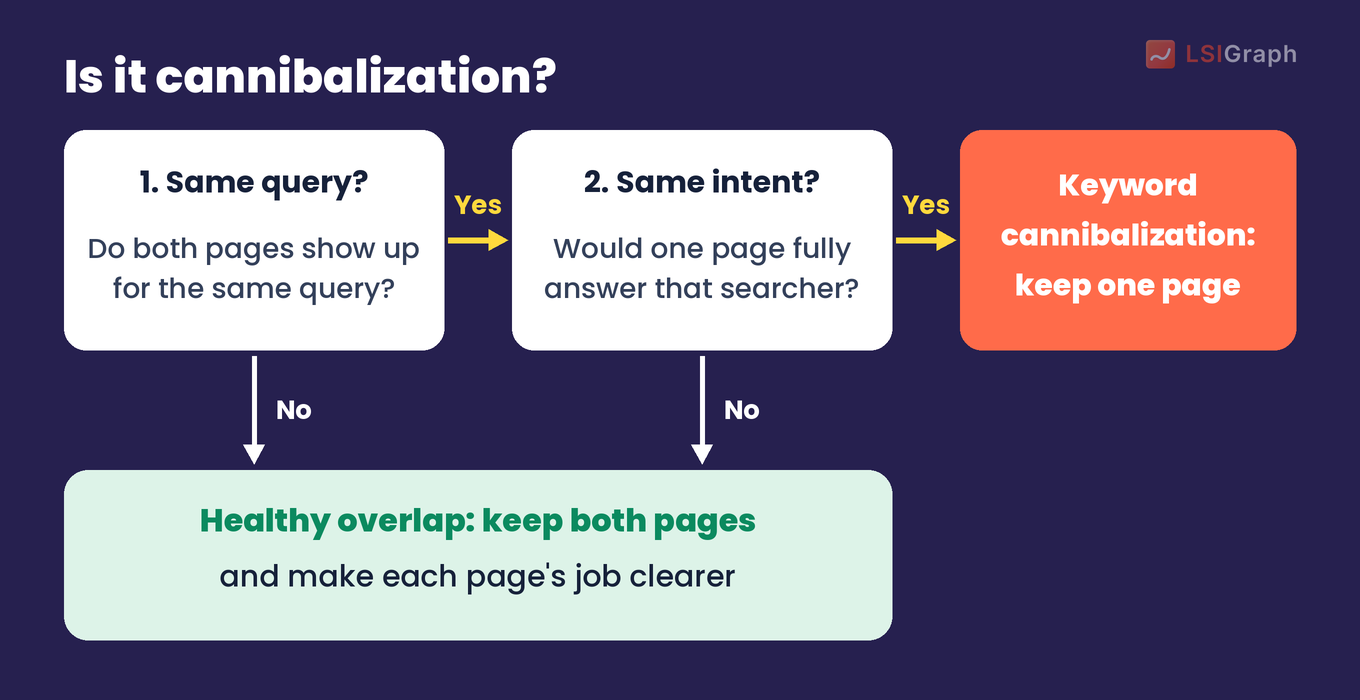
Two pages can share a keyword and still do different jobs. Ask two questions about each pair:
- Same query? Do both pages get impressions for the same search?
- Same intent? Would one page fully answer the person behind that search?
If the answer to both is yes, you have keyword cannibalization. If the pages serve different intents, keep both and make each one's job clearer.
| Pair of pages | Same query? | Same intent? | Verdict |
| "What Is Keyword Research?" (2022) and "Keyword Research for Beginners" (2024) | Yes | Yes | Cannibalization: keep one page |
| "What Is a Keyword Map?" (explainer) and "Keyword Map Template" (download page) | Sometimes | No: one teaches, one hands over a file | Healthy overlap: keep both |
| "Running Shoes" (category page) and "How to Clean Running Shoes" (blog post) | Rarely | No: one sells, one teaches | Healthy overlap: keep both |
Run each pair of pages through this check:
With that check in hand, look for pairs on your own site.
How to Find Keyword Cannibalization
You don't need a paid SEO tool for this. Google gives you two free ways to spot competing pages.
#1 Search Console's Performance report
Search Console shows which of your pages appeared for a query. Google's help pages describe the steps:
- Open the Performance report for Search results.
- Filter by query. Click + Add filter, choose Queries, pick Queries containing, enter your keyword and click Apply.
- Open the Pages tab above the table to see which of your URLs got impressions and clicks for that query.
If two or more URLs show up with impressions, compare their clicks and average position over the last few months. Pages that keep trading places for the same query are your candidates.
#2 A site: search
Search Google for site:yourdomain.com your keyword. Google returns pages from your domain that match the term, so near-duplicate titles stand out fast.
Google notes that the list "is not always exhaustive", so treat it as a quick check next to Search Console.
Searching site:lsigraph.com lsi keywords returns several lsigraph.com pages about LSI keywords (terms related to the keyword a page targets):
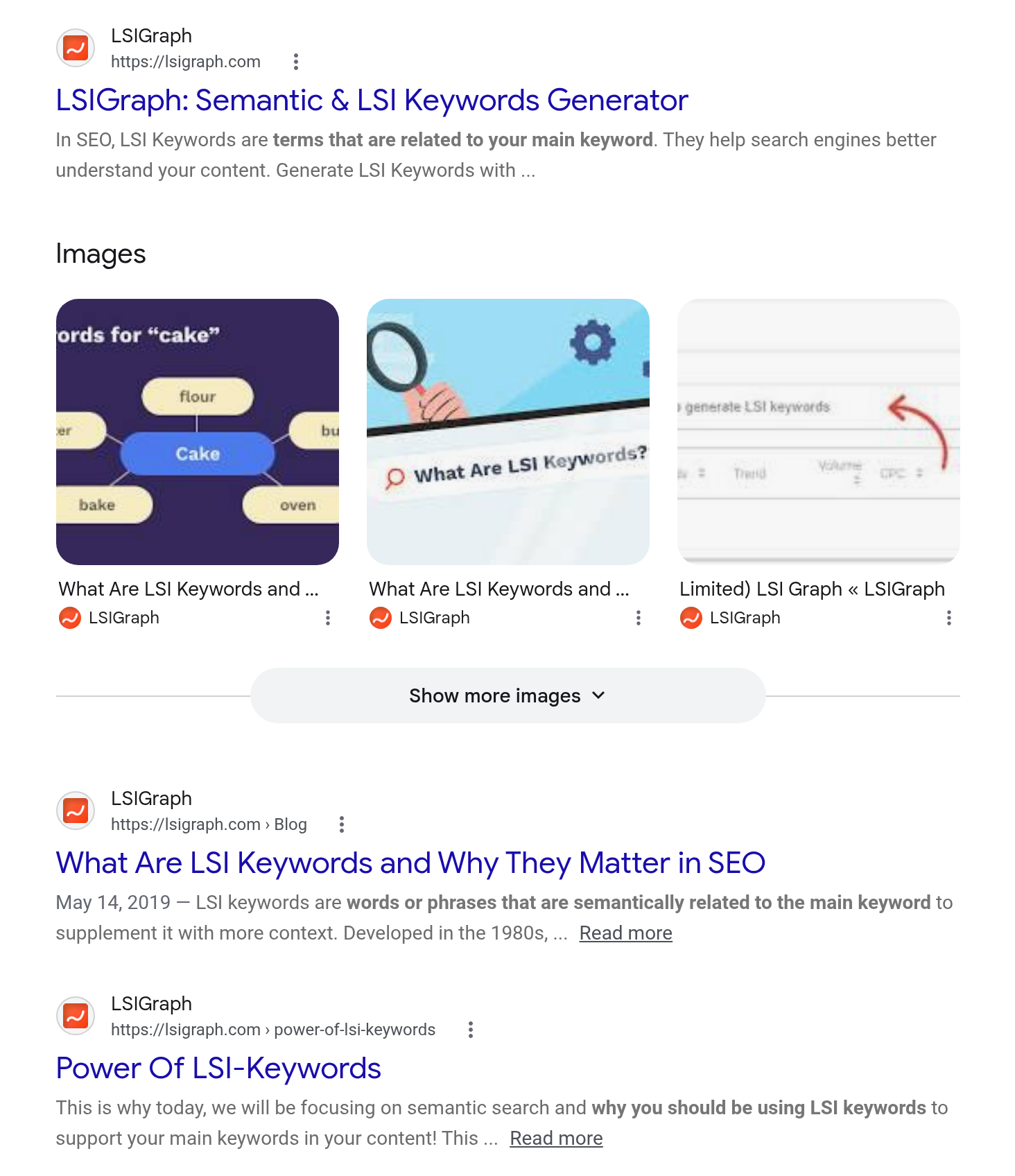
The first two results make a candidate pair: our homepage and our /lsi-keywords/ post. In our Search Console data for 21 Oct to 17 Nov 2026, the query "lsi keywords" had 4,561 impressions at an average position of 7.4, with the homepage as its top page, and /lsi-keywords/ appeared for it 1,905 times at an average position of 21.7.
Run through the two questions, the pair looks like this:
- Same query? Yes. Both pages get impressions for "lsi keywords".
- Same intent? Not fully. The homepage is our site's front page, while the post explains what LSI keywords are.
That makes this pair healthy overlap, not cannibalization, so we keep both pages and leave the homepage as it is.
When a pair passes both questions from the check above, pick the fix that matches it.
How to Fix Keyword Cannibalization
Start by choosing the page you want to rank. Pick the one with more clicks and links, and the closest match to what searchers want.
Then use one of these four fixes.
#1 Merge and redirect
This is the most common fix. Move anything useful from the weaker page into the page you're keeping, publish it, then redirect the weaker URL to it.
Google recommends "a permanent server-side redirect whenever possible" when the URL shown in search results should change. In practice that means a 301 (or 308) redirect, set in your server settings or your site platform's redirect settings.
The merge looks like this:
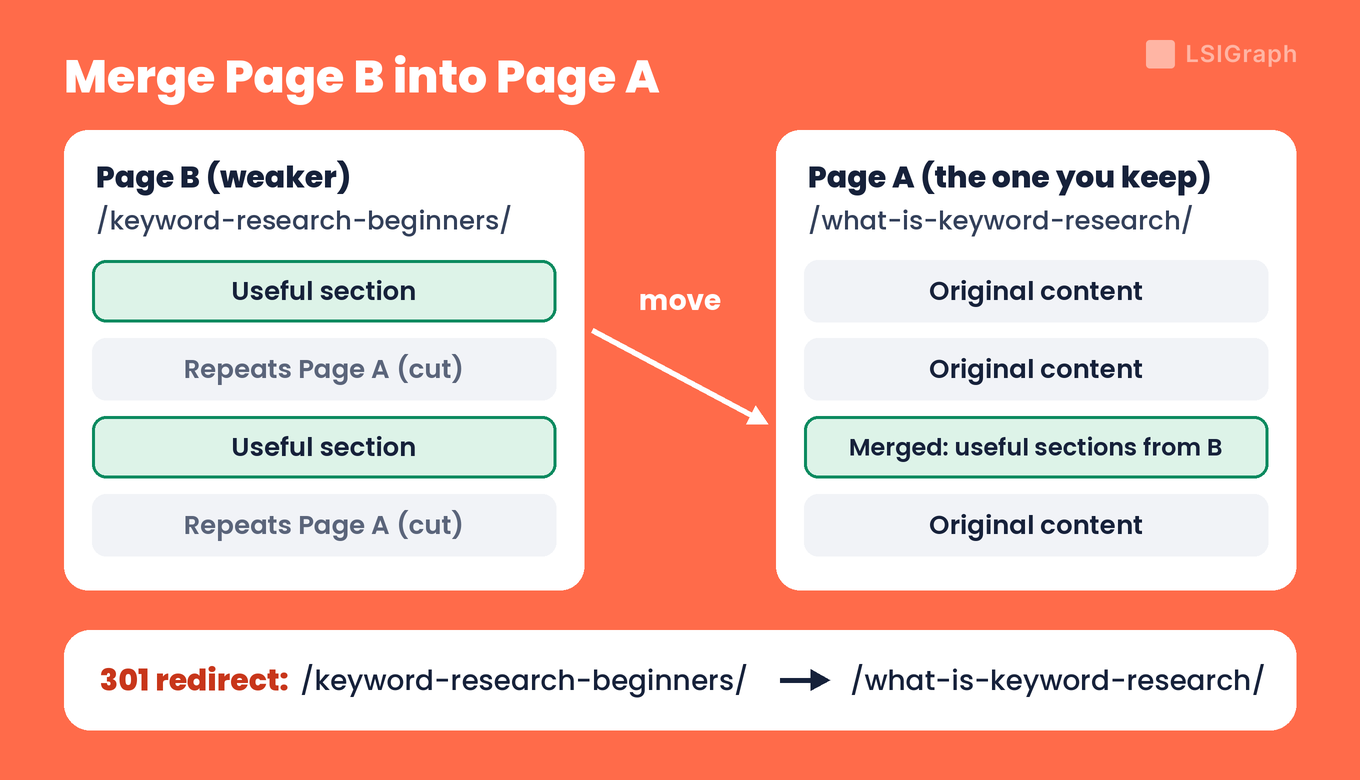
After the redirect, update internal links that still point at the old URL.
#2 Re-target the weaker page
Sometimes the weaker page has its own reason to exist. Give it a narrower job: rewrite its title, H1 and opening around a longer, more specific query it can own, and cut the sections that repeat the main page.
Our SEO writing basics cover how to match a page to one keyword.
#3 Use a canonical tag for near-copies
Some near-identical pages need to stay live, such as a printer version or a URL with tracking parameters. Add a rel="canonical" link on each copy that points at the main page.
Google treats that link as "a strong signal" for which URL to show, and its canonical rules cover duplicate and near-duplicate pages. For two different posts on one topic, use fix #1 or #2.
#4 Point internal links at the page you kept
Link to the chosen page from your other posts, with anchor text that names its topic. Google uses links as a signal when it judges which pages are relevant, so consistent links point it at the main page.
Use noindex, the tag that tells Google not to index a page, only on a weaker page that must stay live for visitors but doesn't need to appear in search, such as an old campaign page. Never put it on the page you want to rank: Google's documentation says it will drop a noindexed page entirely from Google Search results.
Fixing pairs one by one works, but a simple habit stops new ones from appearing.
How to Prevent Keyword Cannibalization
Most cannibalization starts when someone writes a new post without checking what already exists. Three habits prevent it:
- One keyword, one URL. Keep a keyword map that assigns each main keyword to a single page. A free spreadsheet is enough. Our keyword mapping guide walks through building one.
- Check before you write. Look up the keyword in your map and run a site: search before you start a new post.
- Update the page you have. If a page already covers the topic, refresh it rather than publishing a second one.
A keyword map for a few of lsigraph.com's own guides looks like this:
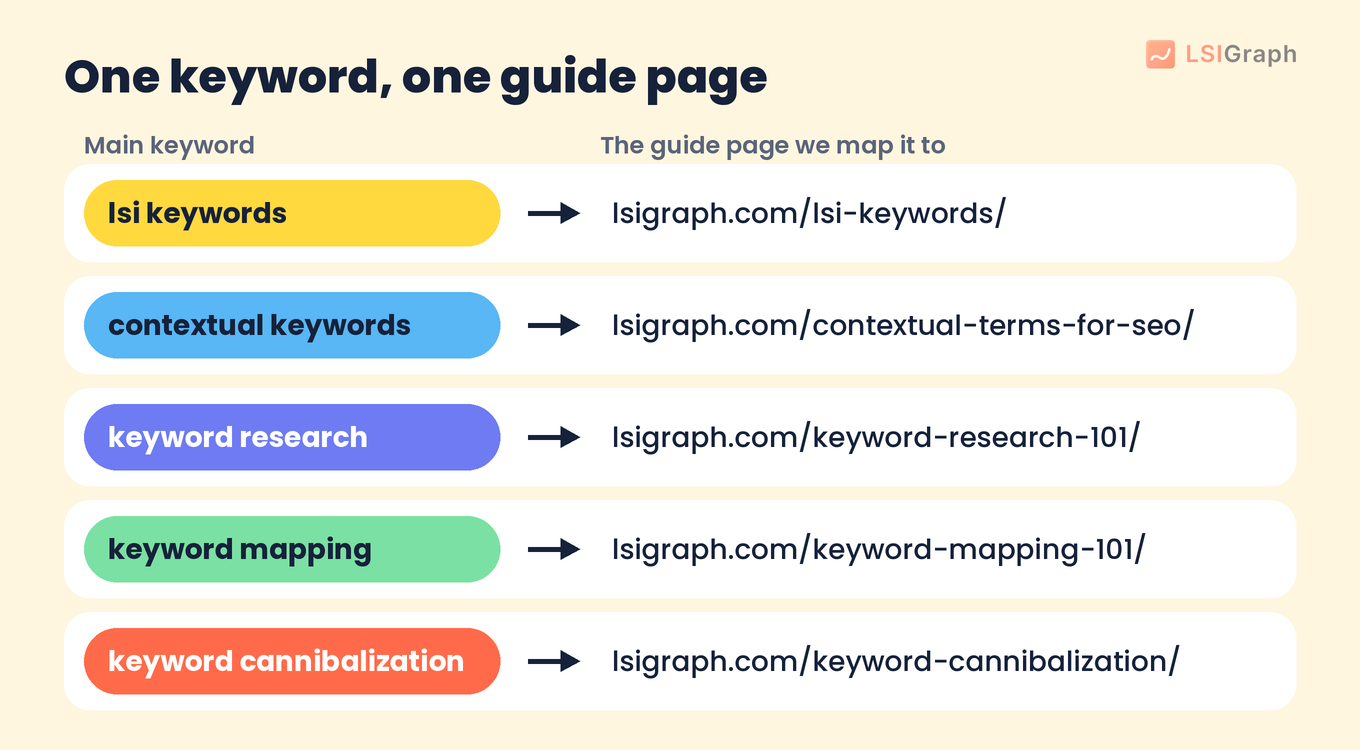
If you pick keywords with a plan from the start, as in our keyword research guide, you'll have most of the map before you write.
Wrapping Up
Pick your 10 most important queries, check the Pages tab in Search Console for each, and merge or re-target any pair that answers the same question.
Every step in this post is free, and so is our AI visibility checker. See what people ask AI about your topic, and whether AI recommends you. Free, no account needed.
Frequently Asked Questions (FAQs)
Q: Is keyword cannibalization a Google penalty?
A: No. It does not appear on Google's list of manual actions in Search Console Help. The cost shows up as weaker rankings and fewer clicks for the pages involved.
Q: What is the difference between keyword cannibalization and duplicate content?
A: Duplicate content is the same or nearly the same content at more than one URL, and Google picks one URL to show. Keyword cannibalization can happen between pages with completely different wording that answer the same question.
Q: Can a product page and a blog post compete for the same keyword?
A: Yes, when people search a product name both to buy and to research it. Write the product page for buyers and the post for people learning how to use the product, and link between them.
Q: How often should I check my site for keyword cannibalization?
A: Check after you publish or merge several posts on the same topic, and run a full pass on your main queries a few times a year. Sites that publish often need more frequent checks.
Q: Does keyword cannibalization matter on a small site?
A: Yes. A small site has fewer pages and links to spread around, so two pages splitting one query affects a bigger part of the site.