An AI visibility audit checks whether AI answers in tools like ChatGPT and Google's AI Overviews mention your brand, what they say about it, and which pages they cite as sources.
You can run one with free tools: a spreadsheet, the free plan of ChatGPT, Google Search, your robots.txt file and two free webmaster dashboards.
Below, you'll write the questions your buyers ask, test them, check the cited sources and crawler access, read the free data from Google and Bing, and turn what you find into a fix list.
What an AI Visibility Audit Checks
An audit looks at four things for each question a buyer might ask an AI tool:
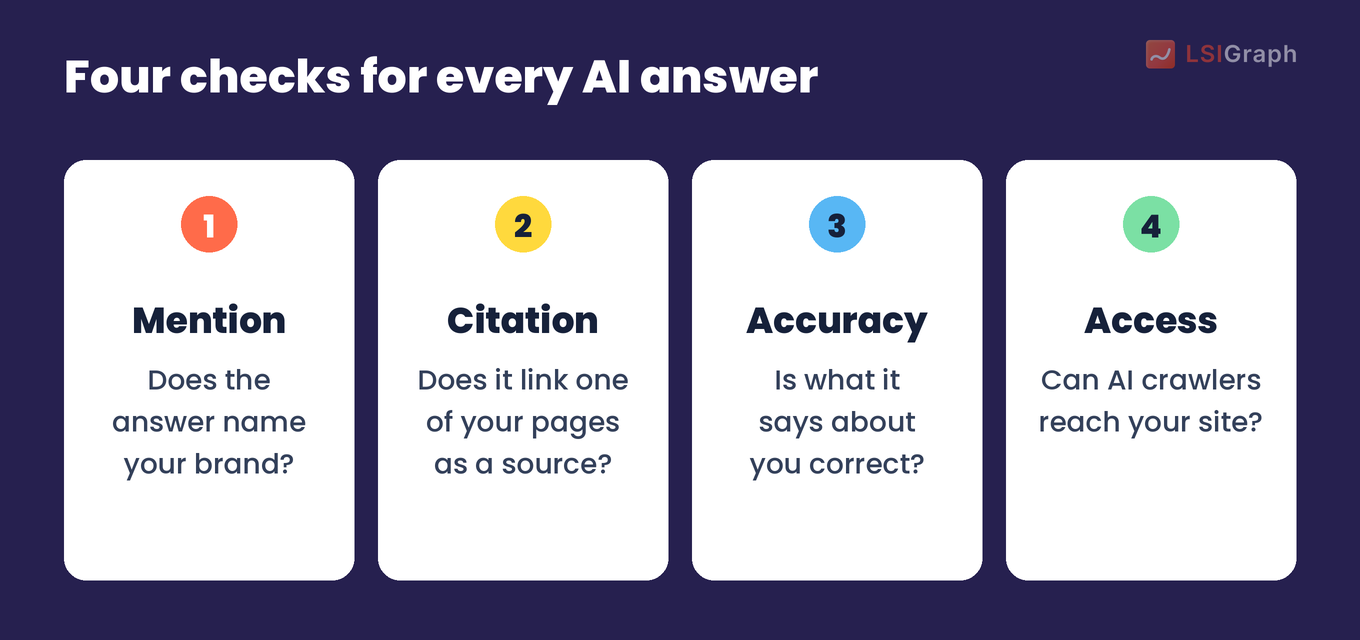
A mention and a citation are different results. An answer can mention your brand while linking only other sites, or link your page without recommending you.
Check accuracy as closely as presence. An answer that mentions you with an old price or a feature you dropped sends buyers the wrong message.
Every one of those checks starts from a question a buyer would ask.
Step 1: Write the Questions Your Buyers Ask
Aim for about 15 questions, written the way a buyer would type them into a chat box.
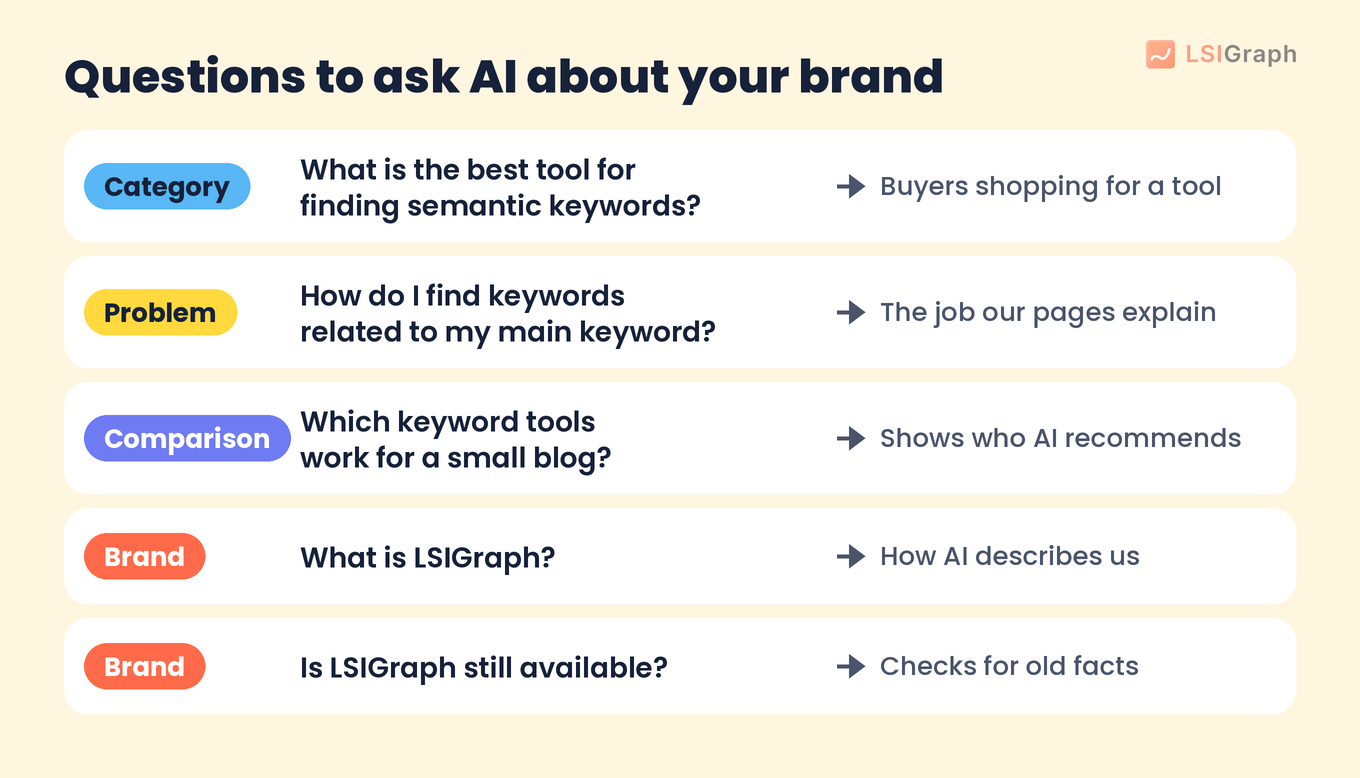
Mix these types so you see the whole picture:
- Category questions: "What is the best tool for finding semantic keywords?"
- Problem questions: "How do I find keywords related to my main keyword?"
- Comparison questions: "Which keyword tools work for a small blog?"
- Brand questions: "What is LSIGraph?" or "Is LSIGraph still available?"
Write a few of each type. Brand questions show how AI describes you, while the others show whether AI brings you up when a buyer doesn't know your name yet.
Here is what a short list looks like for our own brand:
Take the wording from sales calls, support tickets and the keywords you already target. If you don't have a keyword list yet, our keyword research guide shows how to build one.
Keep the list in one sheet, because you'll reuse the exact same questions every time you repeat the audit.
Step 2: Ask Each Question and Log the Answers
Run every question in the AI tools your buyers use. Two are free to start with:
- ChatGPT. OpenAI's pricing page lists a Free plan. Start a new chat for each question so earlier answers don't carry over.
- Google Search. Search each question and note whether an AI Overview appears. Google says AI Overviews show only when they add something to the classic results, so they "often don't trigger". Log a missing AI Overview as a result too.
Add Perplexity, Gemini or Copilot if your buyers use them. Use a private, signed-out browser window for Google, so each check starts the same way.
For each answer, note three things:
- Whether you appear, and where in the answer.
- Which other brands appear next to you or in your place.
- What it says about you, such as your price, features or who you're for.
Log one row per question per tool, as in this made-up example:
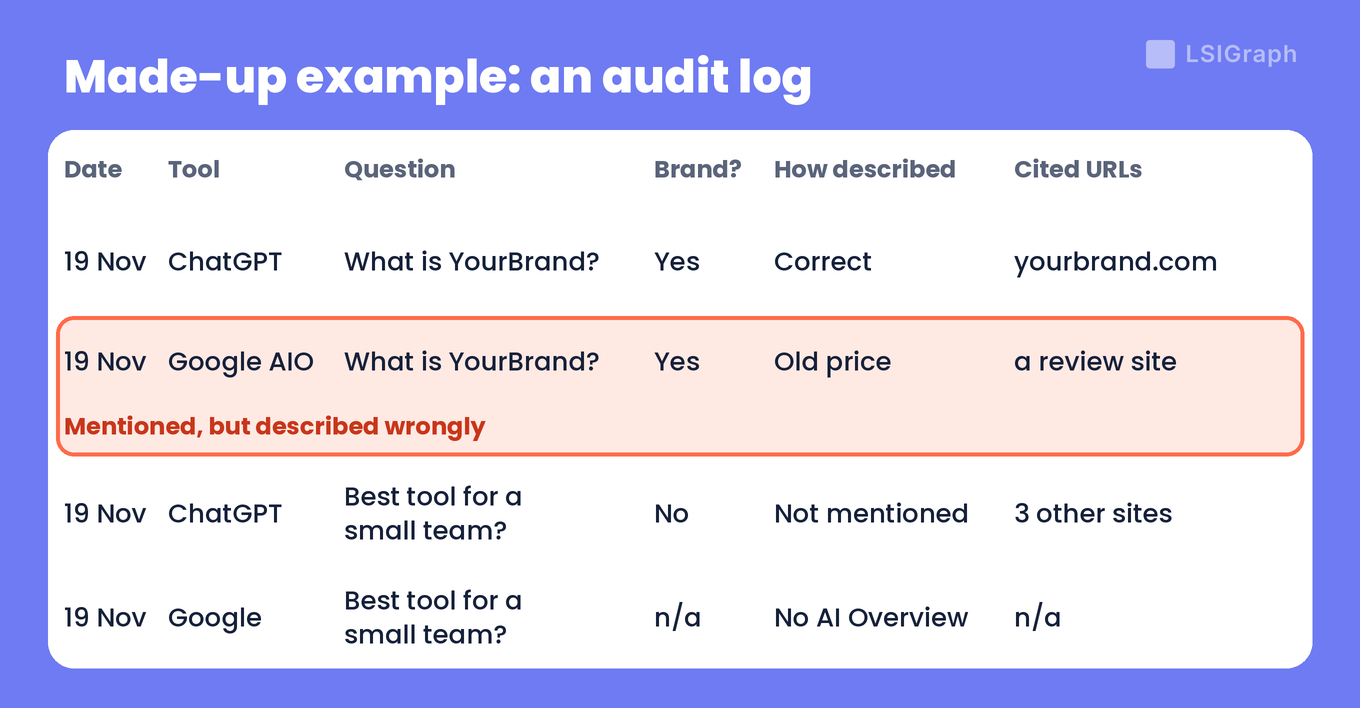
Answers change from one run to the next. Google notes that AI Mode and AI Overviews "may use different models and techniques, so the set of responses and links they show will vary", so record the date on every row.
The links inside each answer tell you where it got its information.
Step 3: Check Which Pages the Answers Cite
Open every source link in the answers and sort it into one of three groups: your own page, another site writing about you, or a page that doesn't mention you.
We ran this step on our own brand, and the answer we got is outdated. Google's AI Overview for "what is lsigraph" describes LSIGraph as a working keyword research tool, but LSIGraph is now SurgeGraph and that tool is retired; two of the three source cards behind the answer are posts from 2019:
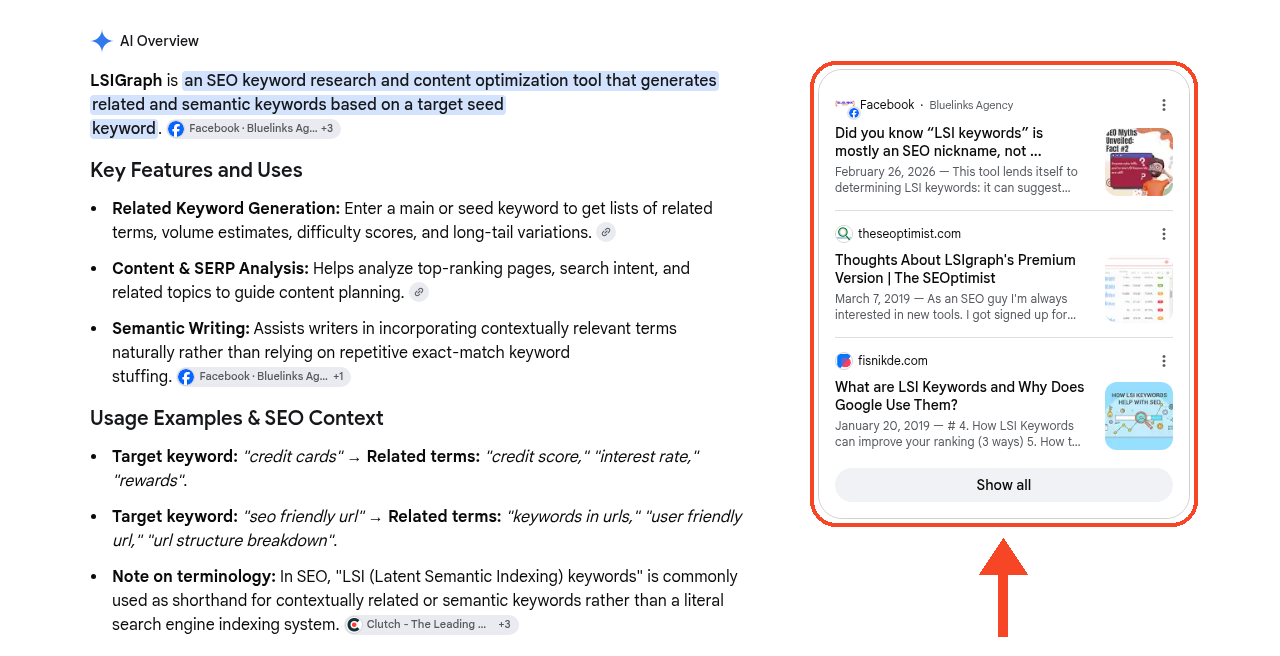
None of the three cards links to lsigraph.com, and two of them are from 2019.
Each group needs a different follow-up:
| Source type | Example | What to do |
| Your own page | Your pricing or features page | Check that every fact on it is current |
| Another site writing about you | A review site or directory listing | Note any errors and who runs the page |
| A page that doesn't mention you | A list of tools that leaves you out | Log it as a gap for Step 6 |
When an answer describes you wrongly, the cited pages are the first place to look for where that description came from. Fix your own page first, then note third-party pages you could ask to update.
If none of your pages shows up as a source, check that they can be shown at all. Google says a page must be indexed and "eligible to be shown in Google Search with a snippet" to appear as a supporting link in AI Overviews or AI Mode, with no extra technical requirements.
None of this helps if AI crawlers can't reach your pages.
Step 4: Check That AI Crawlers Can Reach Your Site
Open yourdomain.com/robots.txt in a browser. This file tells crawlers which parts of your site they may visit.
Look for rules that name these crawlers, or a User-agent: * rule that blocks everything:
- OAI-SearchBot. OpenAI uses it to show websites in ChatGPT's search features. OpenAI says sites that opt out of it "will not be shown in ChatGPT search answers", though they can still appear as navigational links.
- PerplexityBot. Perplexity uses it to surface and link websites in its search results.
- Googlebot. Google's AI Overviews and AI Mode follow the normal Googlebot rules, because Google treats AI as part of Search.
Here is what a blocking rule looks like next to one that allows the crawler:
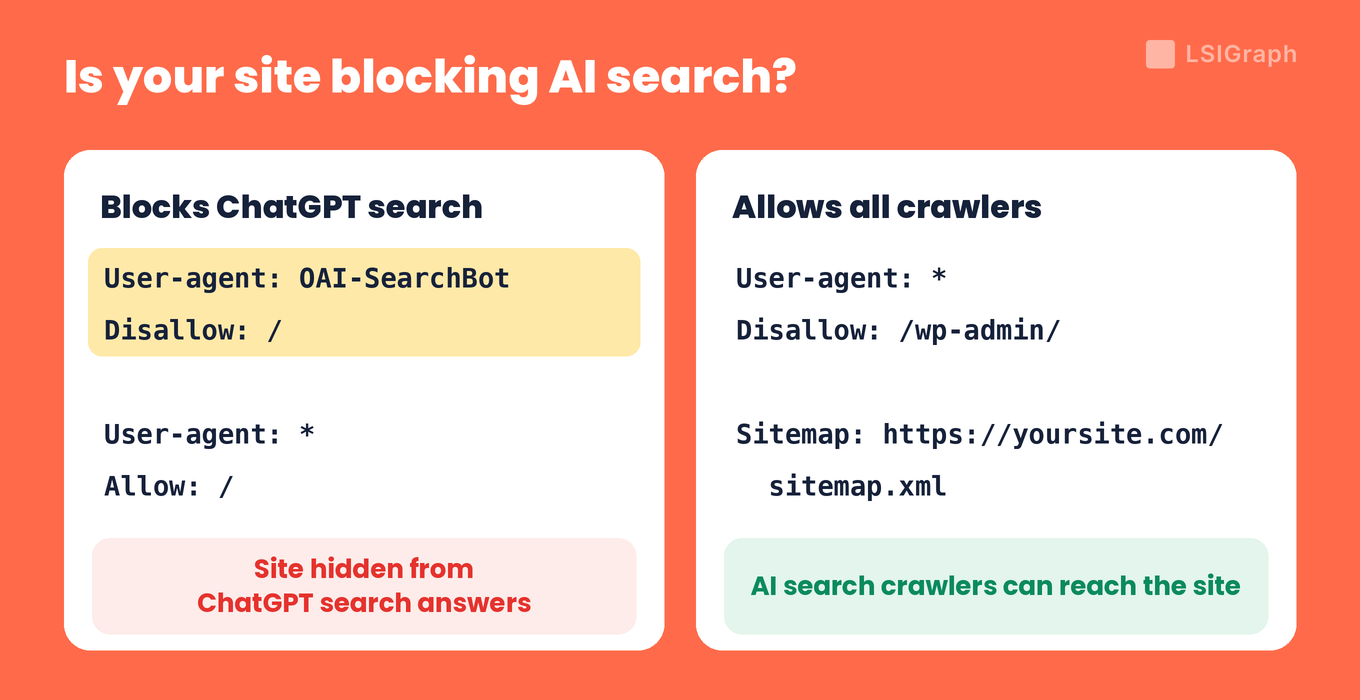
Beyond robots.txt, Google's list of basics includes making sure crawling is allowed "by any CDN or hosting infrastructure" (a CDN is the network that delivers your pages to visitors), so ask your host whether a firewall or bot filter blocks these crawlers.
If you find a block you didn't add, check whether a plugin or your host wrote it before you remove it.
Step 5: Read the Free Data From Google and Bing
Both search engines give site owners free reports, and each one shows a different part of the picture:
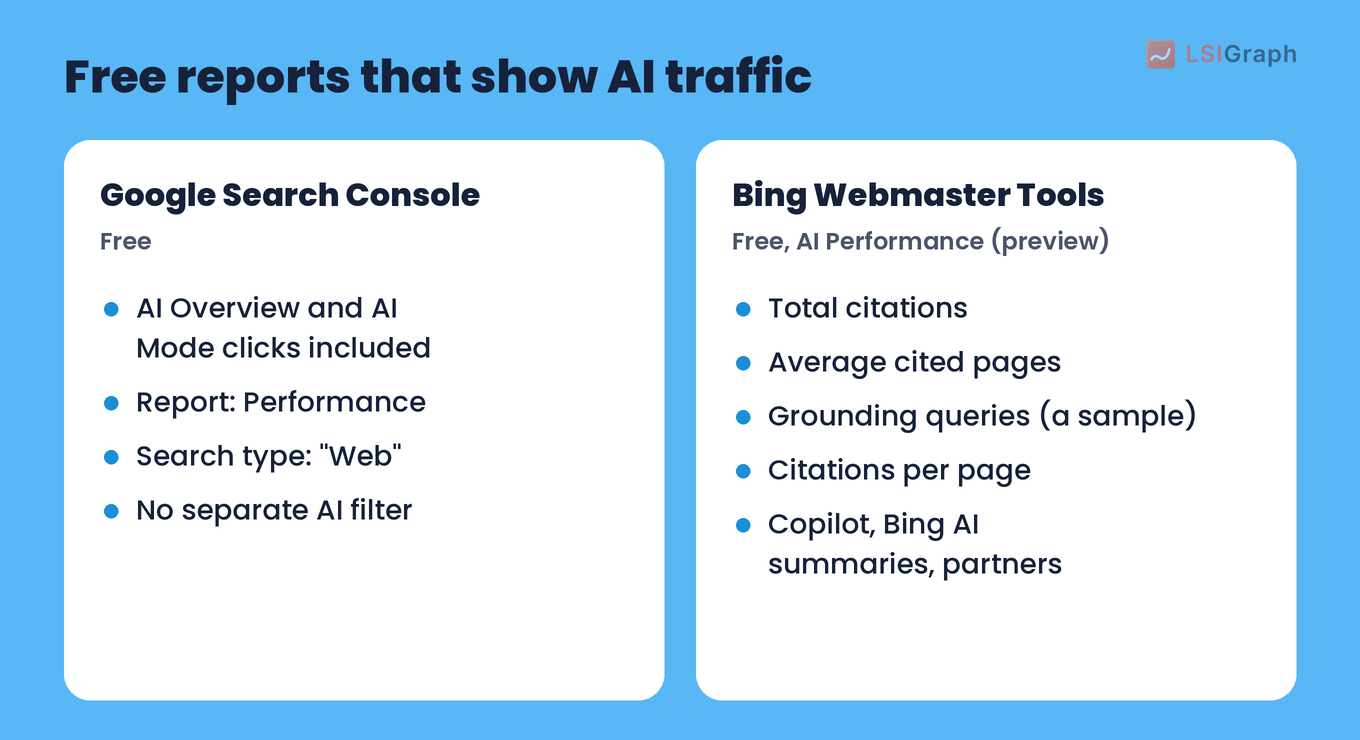
- Google Search Console. This free Google service includes clicks from AI Overviews and AI Mode in the Performance report, under the "Web" search type, so you can't split AI clicks from regular ones. Use it to watch clicks to the pages that AI answers cite.
- Bing Webmaster Tools. This free Bing tool added an AI Performance report (public preview) in February 2026. It shows total citations, cited pages and "grounding queries" across Microsoft Copilot, AI-generated summaries in Bing and some partner tools.
Copy Bing's grounding queries into your question list, because they show a sample of the phrases the AI used to find your cited pages.
Your log, the cited sources, the crawler check and these reports all feed one list.
Step 6: Turn the Gaps Into a Fix List
Go through your log and give each problem one first fix:
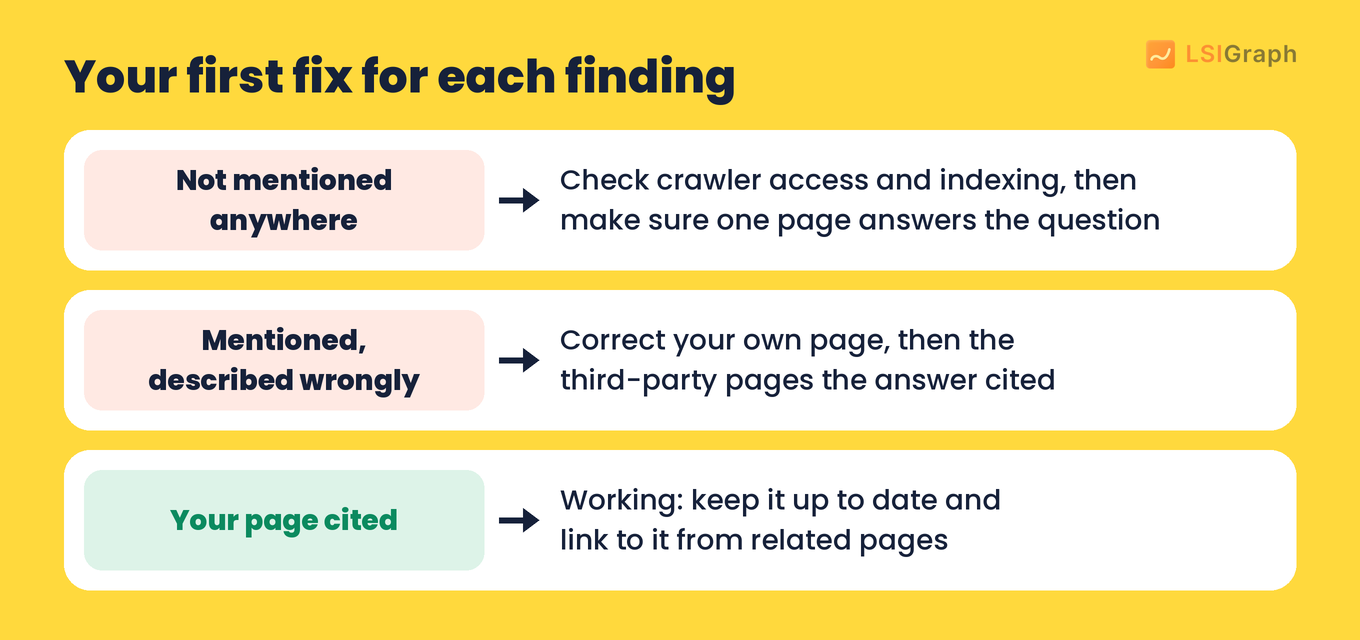
- Not mentioned at all. Recheck crawler access and indexing, then make sure one of your pages answers that exact question in plain text.
- Mentioned, but described wrongly. Correct the facts on your own page first, then on the third-party pages the answer cited.
- Cited for some questions. Keep those pages up to date, and link to them from related pages on your site.
Google says the usual SEO basics apply to AI features, including internal links, important content "in textual form" and structured data (code that labels your content for search engines) that matches the visible text.
Run the same questions again after you make changes, and compare the new log with the first one.
Wrapping Up
Pick 15 buyer questions today, run them in ChatGPT and Google, and log every answer before you change anything. That first log is the baseline every later audit is measured against.
Every step above is free, and so is our AI visibility checker. See what people ask AI about your topic, and whether AI recommends you. Free, no account needed.
Frequently Asked Questions (FAQs)
Q: Is an AI visibility audit the same as an SEO audit?
A: No, but they overlap. An SEO audit checks rankings and technical health across your pages, while an AI visibility audit starts from buyer questions and checks the answers. Indexing problems an SEO audit finds also keep pages out of AI Overviews, so fix those first.
Q: If I rank first on Google, will AI Overviews mention me?
A: Not necessarily. Google says AI Overviews and AI Mode may run several related searches (a "query fan-out") to build an answer, so they can link a wider set of pages than one classic search would.
Q: Does blocking GPTBot hide my site from ChatGPT search?
A: No. OpenAI says GPTBot is for training its AI models and OAI-SearchBot is for search, and each setting is independent. You can allow OAI-SearchBot and disallow GPTBot.
Q: Do I need an llms.txt file or special schema to appear in AI Overviews?
A: Not for Google. Google says you don't need new machine-readable files, AI text files or markup to appear in its AI features, and there is no special schema.org structured data to add.
Q: How long does a robots.txt change take to show up?
A: OpenAI says it can take about 24 hours for ChatGPT search to reflect a robots.txt change, and Perplexity says up to 24 hours. For Google, recrawling a page can take from several days to several months.